![Logo Standard Medium.png]](https://help.exordo.com/hs-fs/hubfs/Logo%20Standard%20Medium.png?height=40&name=Logo%20Standard%20Medium.png)
The new People Hub is currently in beta and not yet available on all sites. If you'd like to learn more or check availability for your site, please email support@exordo.com.
The People hub lists everyone connected to your conference, whether they've logged in themselves or are simply connected to content such as a submission or a registration. It also gives you a self-serve way to find and merge duplicate accounts.
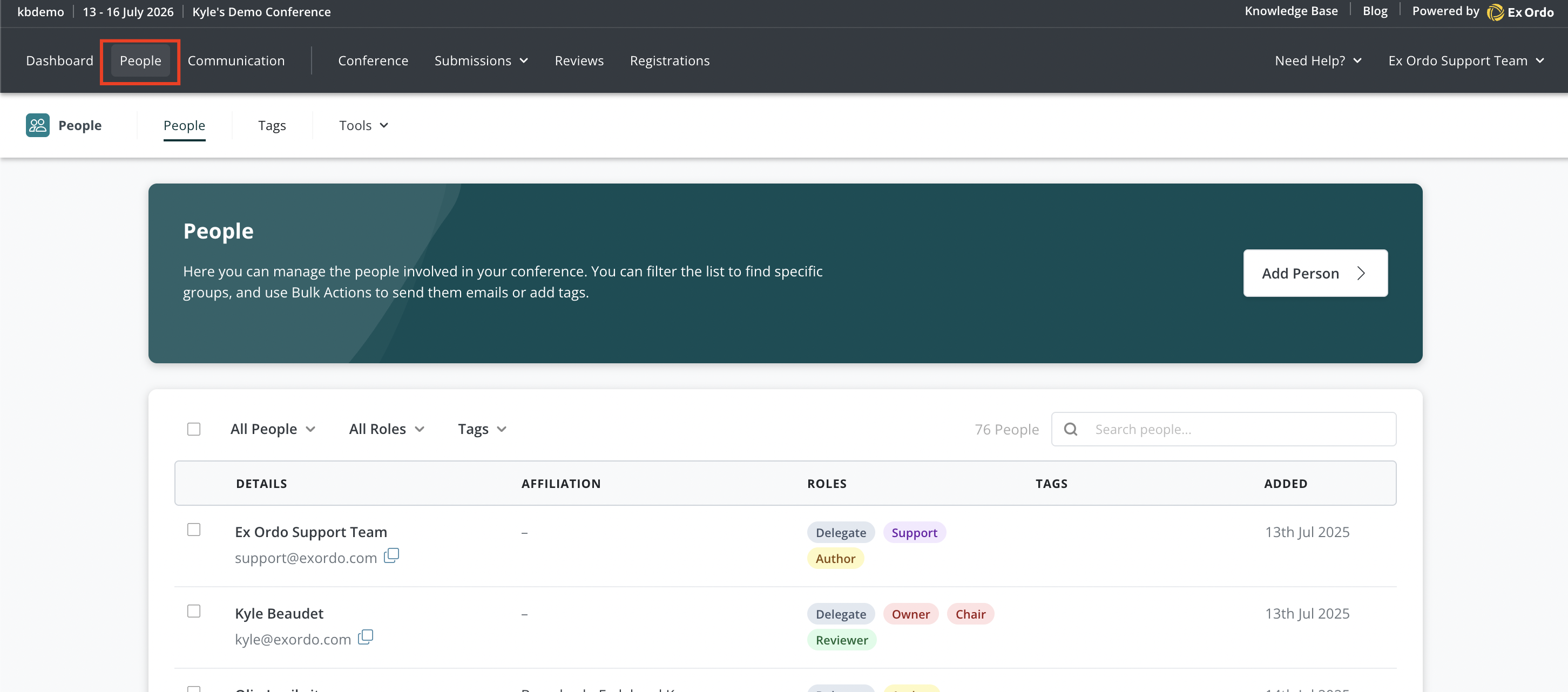
Only chairs and assistants can see and use this hub. You can access it by selecting People at the top of the page. There are three tabs inside: People, Tags, and Tools.
Using the People tab
Once open, you can use the People tab to:
- see the people who have logged into your conference or who are connected to content in your site
- add a new person directly, by selecting Add Person and entering their first name, last name, and email address;
- check a person's roles (for example Delegate, Owner, Chair, Reviewer, Author, or Support) based on what they're connected to;
- search for a specific person by name or email, or filter the list by people type, role, or tag;
- select a person's name to expand their row and view their title, email, organisation, roles, the date they were added, and their country;
- merge a duplicate account into the one you're viewing, from that expanded row
- select one or more people using the checkboxes, then export their data or apply tags to all of them at once.
Related articles: