![Logo Standard Medium.png]](https://help.exordo.com/hs-fs/hubfs/Logo%20Standard%20Medium.png?height=40&name=Logo%20Standard%20Medium.png)
You can easily filter and search through your conference's information using the filtering options in the system.
Overall List Filter
Depending on the settings active on your conference (ie, if you have tracks or review groups), it will show all of these or a combination thereof or none. Here you can also search by typing in your Track, Committee or Review Group name Just click the dropdown at the top of each list (Initial Submissions, Review or Final Submissions):
 The top filter of each list will show your information broken into different sections:
- Tracks
- Committees
- Review Groups
Filters in Review Hub
We can split filters in the Reviews hub into filters that appear After the allocation and In Review filters.
a) After the allocation filters
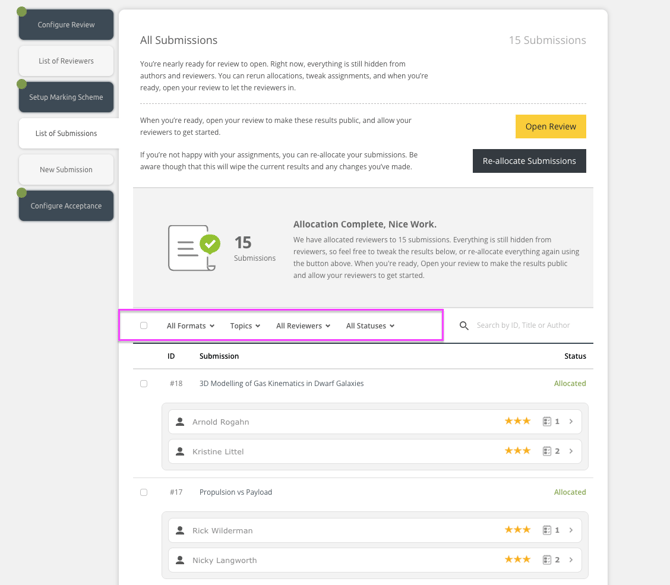
After you allocate but before you Open Review and start the Review process, you can filter the list to perform different actions. You can filter by:
Formats, Topics, Reviewers and the Allocation Status.
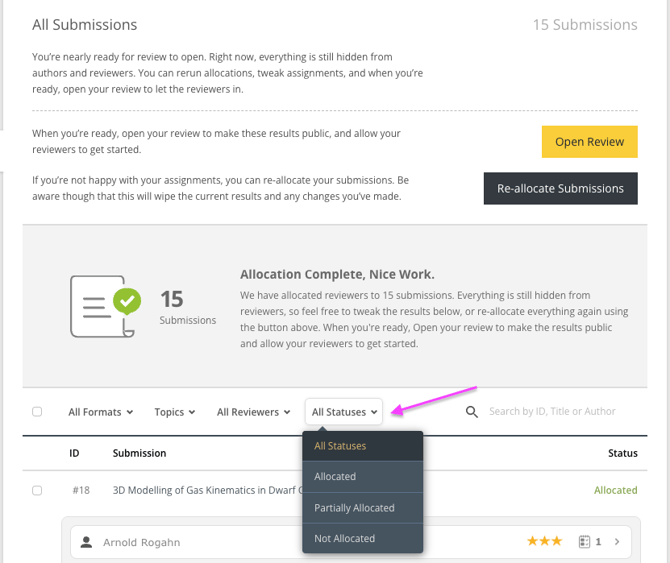
All Statuses filter will allow you to find submissions that are missing Reviewers or are not Allocated at all.
b) In Review filters
There are some additional filters appearing when you open the review, and you start the Reviews:
- Review Funnel with a visual overview of your whole review process
- More Filters option
Funnel and More Filters option
You will see a funnel on the top of your Review list showing the reviewing status of your submissions. By clicking on each section of the funnel, you can focus on a subset of submissions.
NOTE - If using tracks, the funnel will appear only if all the tracks are in review.
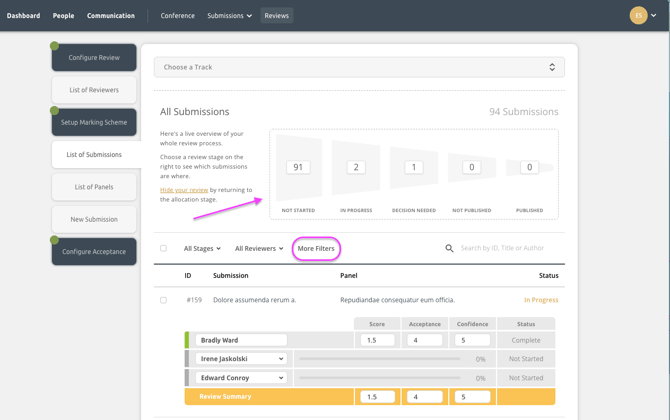
More Filters
By clicking on More Filters option, a popup screen will appear:
You will be able to use the following filters on your list of submissions:
- Filter for a particular Review Stage
- Filter for a particular Review Decision
- Filter by a Reviewer's name
- Filter by Review Scores
- Filter by a Submission Topic
- Filter by a Submission Format

To use the filter, select Apply Filters as below:
