![Logo Standard Medium.png]](https://help.exordo.com/hs-fs/hubfs/Logo%20Standard%20Medium.png?height=40&name=Logo%20Standard%20Medium.png)
You may not need any reviewers to give you their opinion on all submissions, or on a specific track. You can skip the review on all submissions or on a specific track by:
- Go to the Reviews hub
- Ensure you are viewing the List of Submissions
- Locate the Skip Review button
IMPORTANT! If you have tracks enabled and are allocating track by track, please ensure you are looking at the correct track before taking this action.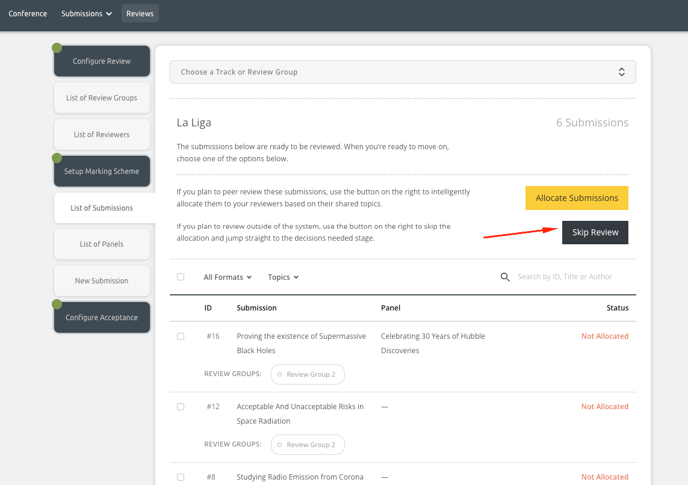
- Click on the Skip Review button. You will see a pop-up with information about this action. Click Yes, Skip Review to continue or No, Cancel if you are not ready.
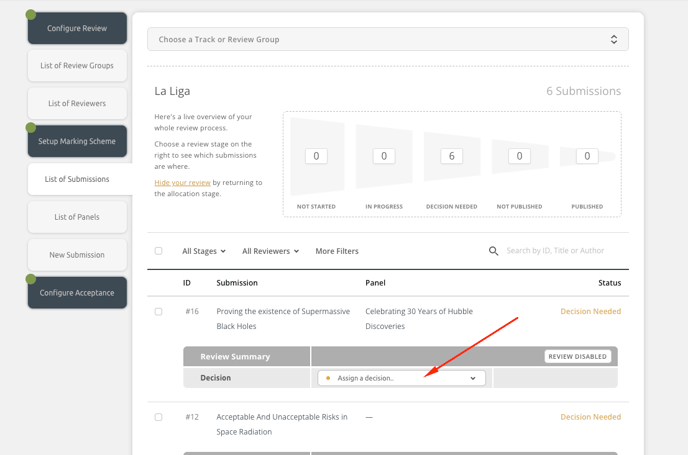
- Your system or the specific track will be pushed into review. All submissions will appear in the Decisions Needed state, and you can apply decisions.