![Logo Standard Medium.png]](https://help.exordo.com/hs-fs/hubfs/Logo%20Standard%20Medium.png?height=40&name=Logo%20Standard%20Medium.png)
Content Type
The Content Type setting determines which type of submission will appear in your book.
Title & Abstracts
Select this option if you want to include the submission title, abstract, and author information only.
Initial Drafts
This is the PDF file uploaded by authors in the Initial Submission.
Select this option if you'd like your book to be built using the PDF's that authors uploaded during the Initial Submissions stage of your conference. Each PDF will be inserted unmodified into your book.
Final Drafts
This is the PDF file uploaded by authors in the Final Submission.
Select this option if you'd like your book to be built using the PDF's that authors uploaded during the Final Submissions stage of your conference. Each PDF will be inserted unmodified into your book.
Additional Information File
This is a file uploaded by authors on the Additional Information step of your submission workflow.
Select this option if you'd like your book to be built using the PDF's that authors uploaded during the Additional Information step of your submission workflow. Each PDF will be inserted unmodified into your book.
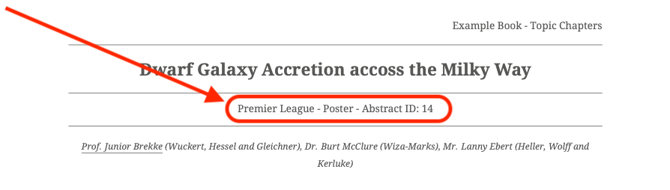
You can choose to display extra details alongside each submission:
-
Date
-
Time
-
Session Name
-
Venue / Room
-
Paper ID
-
Keywords
-
Author names and affiliations
Need Help?
If you need help deciding which configuration is best for your event, feel free to contact Ex Ordo Support on support@exordo.com.