![Logo Standard Medium.png]](https://help.exordo.com/hs-fs/hubfs/Logo%20Standard%20Medium.png?height=40&name=Logo%20Standard%20Medium.png)
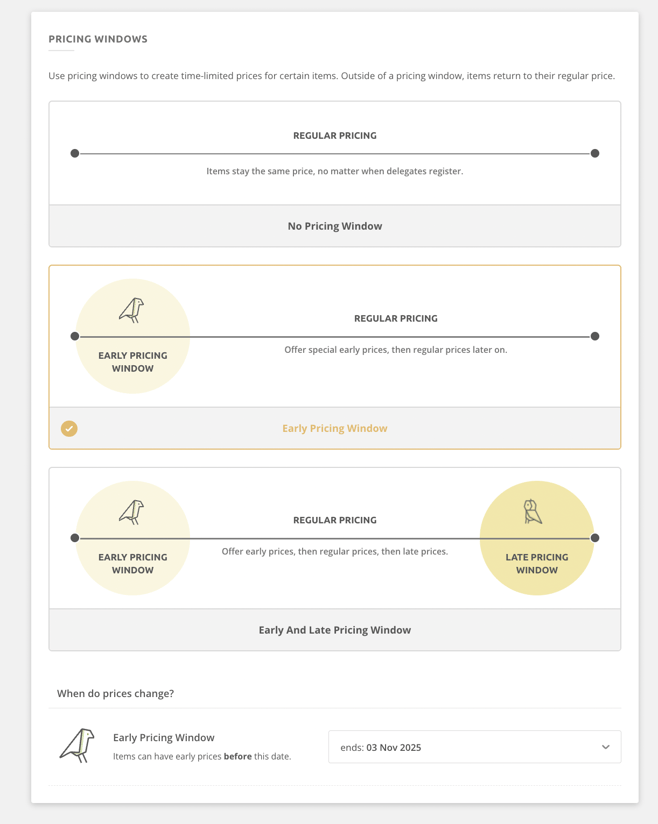
Many conferences use pricing windows to offer reduced fees to encourage early registration. There are three options to choose from:
- No pricing windows: conference fees will be the same throughout the registration period
- Early pricing: this enables you to offer two pricing points: early and regular
- Early and late pricing: this enables you to offer three price points: early, regular and late
Managing Pricing Windows:
You will initially be asked if you are using pricing windows when completing the registration set up wizard. You can choose to enable, disable or modify the pricing windows after completing the set up wizard by following the steps below.
- Click on the Registrations hub at the top of the page
- Open the Manage menu located in the upper left-hand corner
- Select Pricing Windows
- Make changes such as:
- enabling pricing windows
- disabling pricing windowsMake changes such as:
- modifying the date pricing windows change