![Logo Standard Medium.png]](https://help.exordo.com/hs-fs/hubfs/Logo%20Standard%20Medium.png?height=40&name=Logo%20Standard%20Medium.png)
Sometimes you just need a little bit more from your authors. Step 5: Author information enables you to:
- Create custom questions related to individual authors
- Set per submission limits
- Set overall limits across all submissions
This article relates to custom questions and settings for authors only. Panel organisers be asked for the following information:
- First and last name
- Affiliation (if enabled)
- Title (if enabled)
- Country (if enabled)
Need to ask your panel organisers extra questions? Check out this article.
To get started:
- Navigate to the Initial Submissions hub through the Submissions menu at the top of the page and open the Configure Initial Submissions menu
- If you have not clicked through the Configure Initial Submissions yet, locate the Open Submissions card on your dashboard and click Let's Get Started.
- Open the Configure Initial Submissions menu
- Go to Step 5: Author Information
- Check out below for details on the settings you can manage here.
Please contact support@exordo.com before making changes to Step 4: Author Information if you have begun collecting real submissions.
Author details:
You will see the information Ex Ordo asks authors by default. Please email support@exordo.com to request changes to the default questions such as:
- enabling/disabling the default questions
- modifying question options, such as adding titles to the Prefix list or changing country names
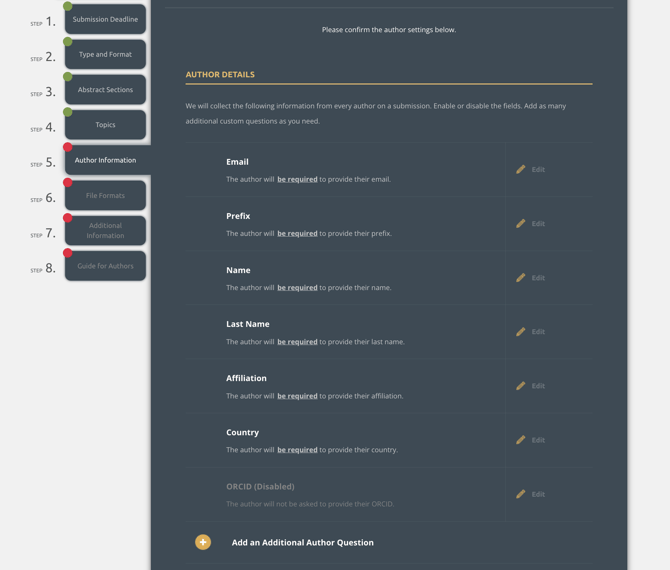
- Selecting Add an Additional Author question
- You can then choose the question you would like to add. Each question can be required or optional, and visible to reviewers or not.
- Answer: short text answer, like a phone number
- Explain: paragraph text answer
- Choose: drop-down menu question
- Agree: checkbox to agree with a statement
- File Upload: upload a file
- After choosing your question style, you can name your question, give instructions, set the question to be required/optional and choose if reviewers will see the information or not.
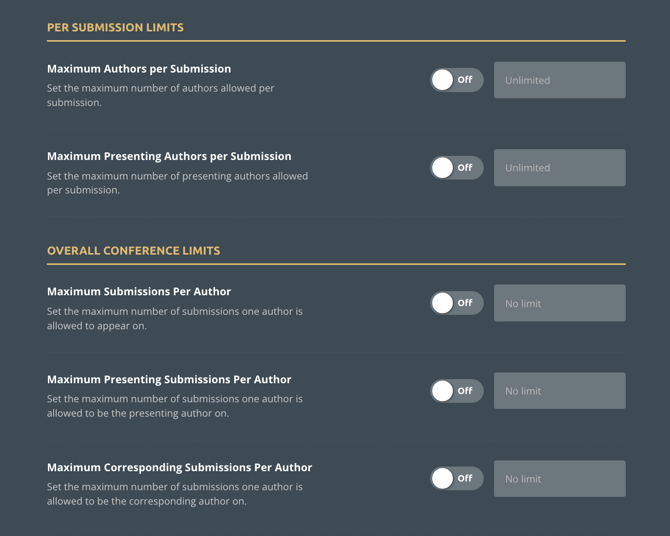
Author Limits
You can place limits that impact:
- a specific submission, such as ensuring a maximum of 3 presenters is listed on each submission (this helps to prevent presentations from going over time!)
- a specific author, such as ensuring one person can be an author on a maximum of 3 submissions
Other Settings
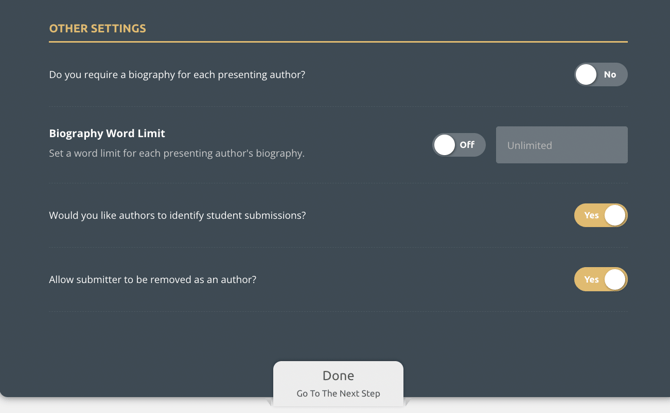
You can choose to:
- Collect biographies from presenting authors, and set a word limit for the biographies if you do. Biographies are required, if enabled.
- Ask the group to identify if the authors are students
- Allow authors to remove the submitter from the work, or not.
Configuring initial submissions and happy with your author information questions? You can now move to step 6 of configuring initial submissions: File formats