![Logo Standard Medium.png]](https://help.exordo.com/hs-fs/hubfs/Logo%20Standard%20Medium.png?height=40&name=Logo%20Standard%20Medium.png)
As a conference chair, you can remove submissions from any of the review groups at any time and place them into a new group. If the reviewers are already assigned to a submission, you will have to remove reviewers first. Any started review will be removed, and the data of this review will be deleted.
Step 1: Access the list of reviews
Click on the Browse Reviews button from your Review Overview card.

Step 2: Search for and view submission
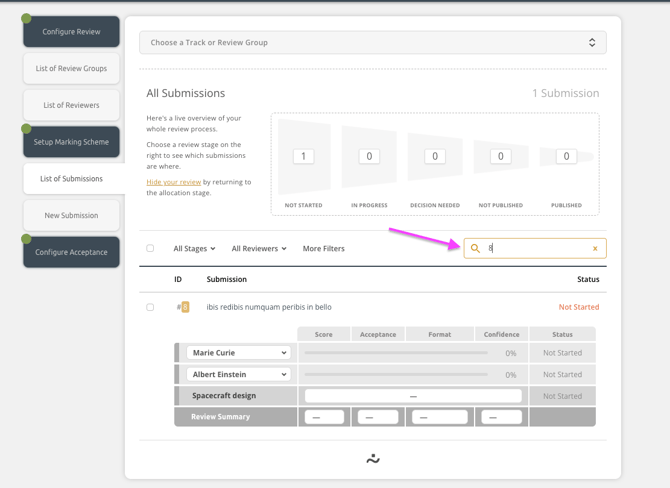
You can search by submission ID, title or author name to find the submission you would like to switch to another review group. To expand the view, click on the submission title, as on the picture below:
Step 3: Assign to a new review group
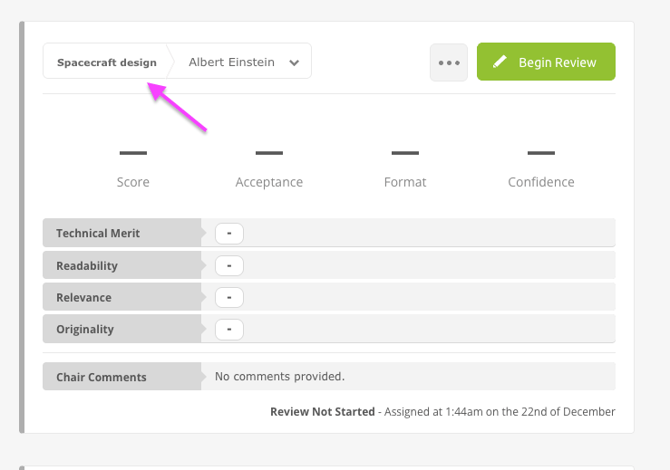
You can now assign this submission to a new review group. To see the list of all review groups, click on the review group name.
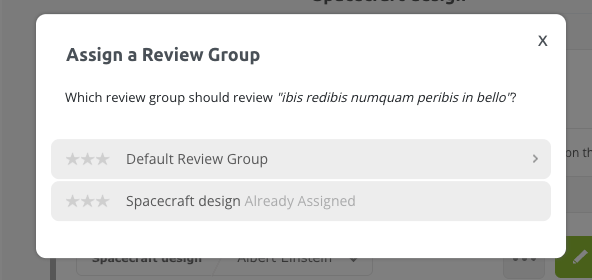
The system will show you the list of your review groups, and you can select the one you need from the list.
The chair of the new review group is not automatically notified about the new addition. They should be watching their listing and checking if any new ones have been added. You can use the Communication hub to contact them, if needed. More information here.